Customise the supplier certificate request email template
You can rewrite the supplier certificate request email Certly sends, in your own words, with a separate subject and body for each step of the chase sequence. The wording is saved against your plant, so every reminder that goes out names the document you need and reads as though your quality team wrote it, because it did.
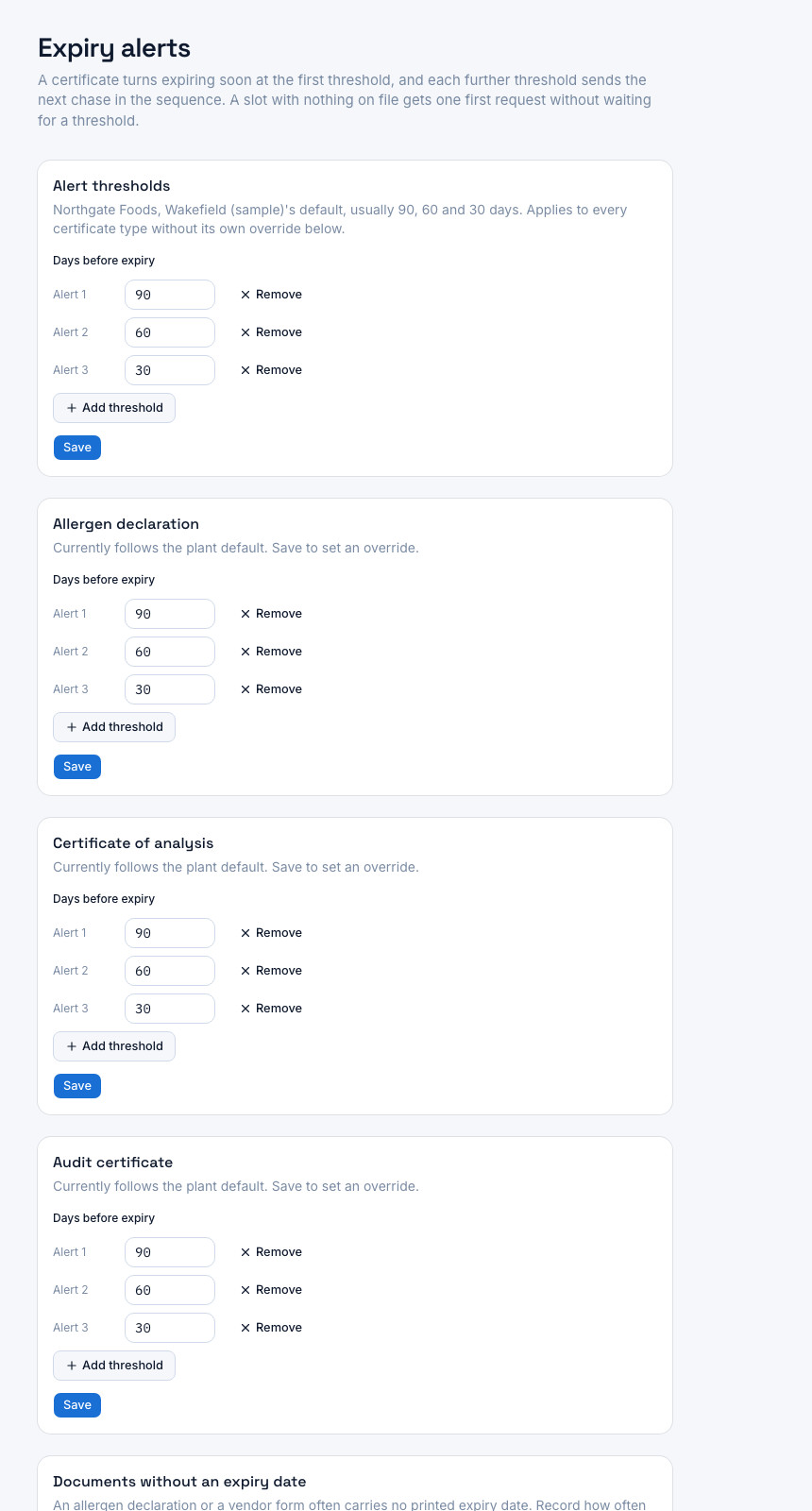
A screenshot of Certly, showing sample data. Nothing in it is a promise: what the product does is what this page says in words.
The chase that reads like software gets filed under later
Collecting supplier certificates is the one part of a supplier approval programme you cannot finish on your own. You can set the due dates, the alert thresholds and the follow-ups, and the document still only arrives when someone at the supplier decides to go and find it. QA managers tend to describe this job as being at the mercy of the supplier, and that is a fair description: the single lever you hold is how the request reads when it lands.
A default, vendor-written reminder works against that lever in three ways.
- It does not sound like the customer. The contact cannot tell whether a system is testing itself or a condition of supply is being restated, so the message waits.
- It names a certificate type in your words, not the document on the supplier's own letterhead. An allergen declaration, a vendor form and a statement of allergen status can be the same piece of paper, and the request should name the one they will recognise.
- It says the same thing at 90 days out as it does three weeks after the certificate lapsed. The second message needs to be doing more work than the first.
Certly's chase wording screen takes those sentences out of our hands and puts them in yours, one subject and one body per sequence step, saved against your plant.
How the wording screen works
- Open the chase wording for your plant
The screen lists the steps of the chase sequence, each with the subject line and body that will be used when that step fires. One set of wording covers the whole plant, so you write it once rather than per supplier.
- Write a subject and body for the step
Type the message you would send yourself: who is asking, which document you need, and what happens next. Plain transactional wording, in your voice, with no borrowed urgency.
- Drop in placeholders for the details
Placeholders fill in the specifics at send time, so one piece of wording names the right supplier, the right certificate and the right date on every send instead of reading as a circular.
- Preview it before you save
The screen shows the message as the supplier will read it, with the placeholders resolved. The feature page on reading the exact chase email covers that preview in more detail.
- Save, and the next chase uses it
When the chase sequence reaches a step that has your wording saved, the send path uses yours. The one-click upload link is always included, whatever you write, and each send is logged.
What each step of the sequence is for
| Sequence step | When it goes out | What the wording needs to do |
|---|---|---|
| Approaching expiry | At the alert thresholds you set before the expiry date, by default 90, 60 and 30 days | Name the document and the date it runs out, and give the contact an easy first action while there is still time |
| Lapsed | After the recorded expiry date has passed | Say plainly that the document on file is out of date, say what you need now, and keep it factual rather than apologetic |
Where the wording lives, and what it does not change
The wording is held per plant, alongside your site's name and your alert settings, because those three things are what make a reminder specific to you. Edit it whenever the words stop working, and the next chase picks up the change.
Two boundaries are worth knowing before you rewrite anything.
The upload link stays. However you phrase the request, the send path includes the one-click upload link for the certificate in question. That is the whole reason the email beats an attachment request: the supplier does not create an account, log in or reply to a thread, they open the link and upload the document. The sibling page on sending a supplier an upload link yourself covers what that link does when email is not the route you want.
Messages already sent are not rewritten. Each chase is logged per send with the recipient, the time and the delivery result, so you can see what actually left and what came back, rather than assuming a reminder was read because it was scheduled.
What changes once the words are yours
The request names the document the supplier recognises
You can use the term that appears on their paperwork, the scheme they certify to, and the purchase relationship that makes the request a condition of supply rather than a favour.
Early and late messages can say different things
A 90-day nudge and a message about a certificate that has already lapsed are different conversations. Writing them separately means the sequence escalates in substance, not just in frequency.
Every send still carries the upload link
No rewrite can accidentally strip the one-click route back to you, so the supplier always has a single action to take and you never have to resend the link separately.
You see what was sent, not what was supposed to be sent
Each chase is logged as it goes, with its delivery result, so a bounced or failed send reads as a failed send rather than as contact made.
One edit covers the whole supplier base
The wording is plant-scoped and the placeholders handle the per-supplier detail, so improving the sentence that gets documents returned improves every future chase at once.
Questions
Can I write a different email for each step of the chase sequence?
Yes. The wording screen holds one subject and body per sequence step, so the message about a certificate approaching expiry can read differently from the one about a certificate that has already lapsed.
What happens if I do not write my own wording?
The chase send path uses your saved wording for a step when one exists, and falls back to Certly's own wording when it does not. You can rewrite one step and leave the rest as they are.
Can I remove the upload link from the email?
No. The one-click upload link is always included in a chase, whatever you write around it, because it is the action the message exists to make easy.
Can I see the message before a supplier does?
Yes. The screen previews the message with the placeholders resolved, so you can check it reads as a plain transactional email. The page on reading the exact chase email before a supplier gets it goes through that in full.
Does the wording apply to every supplier, or can I vary it per supplier?
The wording is saved per plant and applies to every supplier at that site. Placeholders carry the per-supplier and per-certificate detail, so one piece of wording still names the right company, document and date on each send.
Which plan includes automated chase emails?
Automated chase emails are included from Starter at £149 a month, which tracks up to 50 suppliers at one site, and every plan carries a 14-day free trial. Unlimited, at £399 a month, adds sending chases from your own connected mailbox.
Is the wording I write stored anywhere else?
It is stored with your site's name and your alert settings in Certly's own database, used to send chase emails in your words and to time the expiry reminders. Each chase send is logged with its recipient, time and delivery result.