Renewal periods for documents with no printed expiry date
Plenty of supplier documents carry no expiry date at all: an allergen declaration or a vendor questionnaire usually shows only the day someone signed it. Certly tracks those with a renewal period set per certificate type for your plant, so the document gets a due date you can alert on instead of sitting in the folder indefinitely.
The documents that give you nothing to track
An audit certificate tells you when it stops being valid. Most of the rest of the supplier file does not. An allergen declaration, a vendor questionnaire, a non-GMO or gluten statement: these usually carry one date, the day someone signed them, and no expiry anywhere on the page.
That leaves a document that can never go expired, and therefore never gets chased. It reads fine in the folder for four years, until an auditor asks for a current allergen statement and the newest one on file was signed in 2022. Nothing on the tracker was wrong. The tracker simply had no date to count down from.
So every QA team invents a rule and carries it in their head: allergen declarations refreshed every three years, certificates of analysis every year, vendor forms when the spec changes. In practitioner forums, QA teams describe exactly this way of working, a spreadsheet with a column per form filled in with the date printed on each document, plus a calendar reminder set by hand when someone remembers. The rule is usually sound. The problem is that a rule in your head counts no days and shows nothing on a screen.
The decision in front of you is not whether to have a renewal rule. You already have one. It is whether that rule lives somewhere that turns a signature date into a due date, for every supplier, in the same place you read status. This page is for the QA manager or coordinator at a single BRC, SQF or FSSC 22000 plant who owns the supplier file and is tired of being the only mechanism that remembers.
How renewal periods work in Certly
- List what each supplier owes you
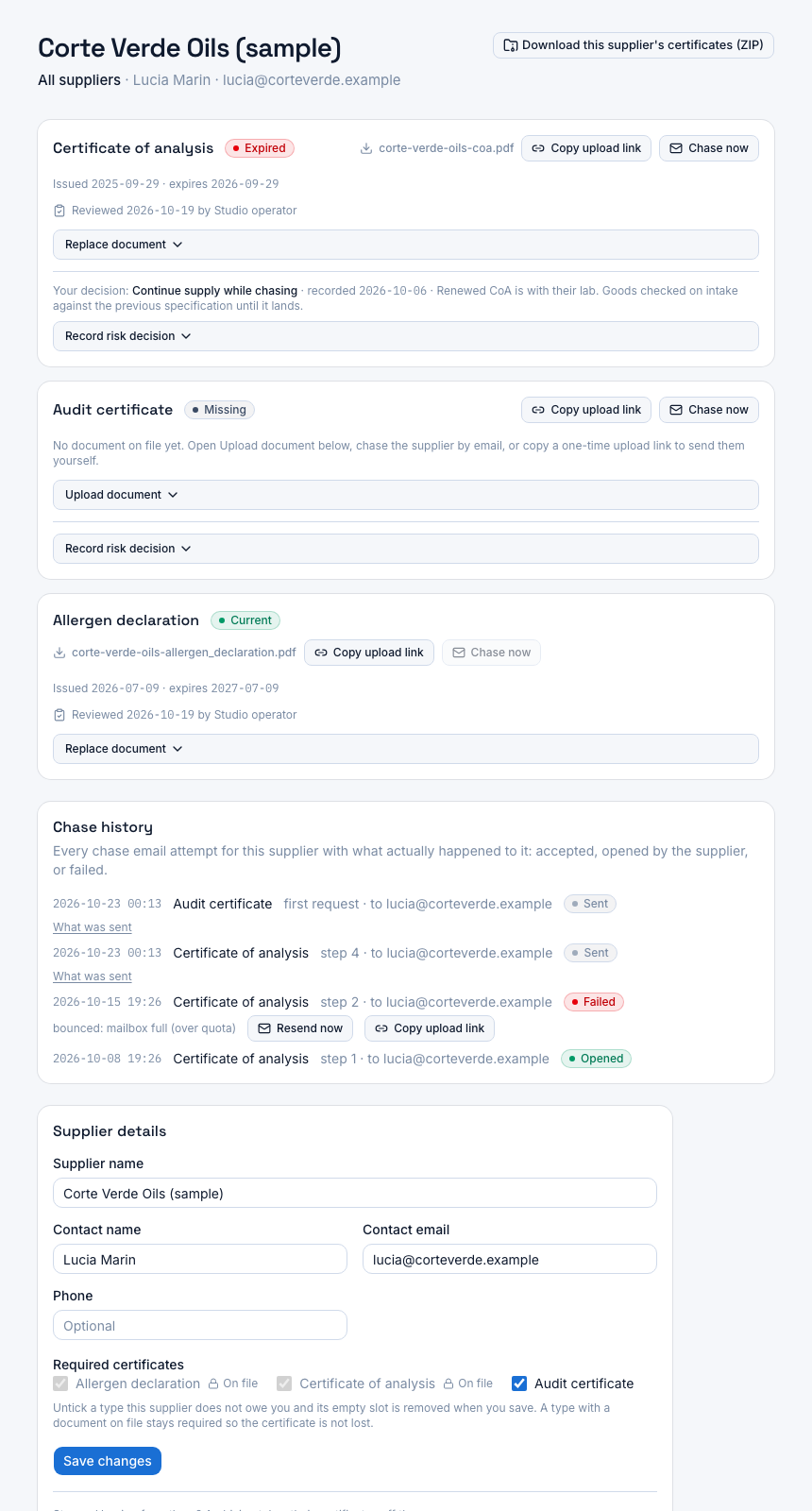
A supplier record holds the contact details and the certificate types that supplier is required to provide, such as an allergen declaration, a certificate of analysis and an audit certificate. That list is what creates a slot to track, whether or not a document has arrived yet.
- Set a renewal period per certificate type
For your plant, each certificate type carries a renewal period: the length of time you treat a document of that type as current from the date on the form. Allergen declaration at 36 months, certificate of analysis at 12, whatever your rule is. The field is optional, so types that print their own expiry can be left empty.
- Record the date on the form at upload
When the QA team uploads a document against a supplier and certificate type, the upload captures the issue date, the date written or printed on the paper. For a document with no expiry, that date plus the type's renewal period is what the due date is derived from.
- Let the due date drive the status
Status is computed against the due date, so a derived date behaves like any other: current, expiring soon, expired or missing. What the allergen declaration counts down to is the rule you wrote once on the certificate type, not a figure someone has to recall.
- Tune the warning so it reaches you in time
Alert thresholds sit at 90, 60 and 30 days before the due date and are configurable: a plant-wide default, or a certificate type with its own thresholds, added or removed as you need. A document you know takes a supplier two months to re-issue can warn you earlier than one that comes back in a week.
Printed expiry and derived expiry, side by side
| Certificate type | Date you record | Renewal period | Date Certly tracks against |
|---|---|---|---|
| Audit certificate | Issue date and the printed expiry date | Left empty | The expiry date printed on the certificate |
| Allergen declaration | The date signed on the form | Your plant's rule, for example 36 months | The signature date plus the renewal period |
| Certificate of analysis | The date on the certificate of analysis | Your plant's rule, for example 12 months | That date plus the renewal period |
What this changes in practice
Every required document has a date
A slot with a derived due date can read expiring soon or expired. A slot with no date at all can only ever read missing, or be quietly ignored. The documents that used to fall outside your tracker come inside it.
Your rule is written down once
The renewal period sits on the certificate type for the plant, not in one coordinator's memory or a note at the bottom of a spreadsheet tab. The next person to hold the job inherits the rule along with the records.
The warning window starts months out
Because the due date exists, the 90, 60 and 30 day thresholds apply to an allergen declaration exactly as they apply to a certificate that prints its own expiry, so the slot turns to expiring soon well before anyone would call the document stale.
Nothing about the document is special-cased
Once the renewal period exists, a derived due date runs through the same status computation and the same threshold settings as a printed expiry date. There is no second list of documents you have to watch by hand because the software could not see a date on them.
One status language for the whole file
Printed expiry and derived expiry both end up in the same four states on the single-screen certificate status view, per supplier, and in the PDF export you hand an auditor. You read one screen rather than holding two mental models for two kinds of document.
Choosing the period, and the trade-off in it
Certly does not choose the renewal period for you, and it should not. The right number comes from what your certification scheme and your customers' specifications ask of your supplier approval records, what the supplier's own re-issue cycle looks like, and how much warning you want before a document goes stale.
The trade-off is simple to state. A shorter period means more documents on your to-do list and a fresher file. A longer period means a quieter week and a document that is older than an auditor might like. Setting it per certificate type is what lets you be strict where it matters, an allergen statement for instance, and lighter where a document rarely changes.
Two things are worth getting right at setup:
- Leave the renewal period empty for any type that prints its own expiry date, so a real date on the document is never replaced by a rule.
- Pick the thresholds to match how slowly a given document comes back. The 90 day threshold exists for the documents you know will take a month of reminding.
If you want the wider comparison of methods, the guide on tracking supplier certificate expiry dates in this pillar covers spreadsheets, calendar reminders and software honestly, and the glossary page on the four certificate states explains how current, expiring soon, expired and missing are read.
Questions
How should I decide the renewal period for an allergen declaration?
Start from what your certification scheme and your customers' specifications expect of your supplier approval records, then add what you know about that supplier's own re-issue habits. Certly stores whatever period you set per certificate type for your plant and derives the due date from the date on the form. It does not recommend a number and does not judge whether yours is sufficient.
What if a document has both a signature date and a printed expiry?
Record the printed expiry and leave the renewal period for that certificate type empty. The renewal period is optional by design, so types that carry a real expiry date, an audit certificate for example, are tracked against the date on the document rather than against a rule.
Can two certificate types have different renewal periods?
Yes. The renewal period is held per certificate type for your plant, so an allergen declaration and a certificate of analysis can run on different cycles. Alert thresholds work the same way: a plant-wide default, with per type thresholds where you want a different warning.
What happens if I change a renewal period later?
You edit it on the certificate type, and status is then computed against the new due dates, so slots can move between current, expiring soon and expired when the rule changes. The documents themselves and their recorded issue dates are untouched; only the date they are measured against moves.
Is a derived due date treated differently from a printed expiry date?
No. Once the renewal period is set, the derived due date is what status is computed against, and the 90, 60 and 30 day thresholds apply to it exactly as they apply to a date printed on a certificate. The slot appears in the same four states on the dashboard and in the PDF export either way.
Which plan includes renewal periods and expiry alerts?
All of them. Starter is £149 a month with a 14-day free trial, covers one site and up to 50 suppliers, and includes the supplier database with required certificate types, certificate upload and storage, expiry alerts at 90, 60 and 30 days, automated chase emails, no-login supplier upload links, the audit-ready dashboard and the PDF export for auditors. Starter annual is £1,519.80 a year, which saves 15% against paying monthly.